Hash 3D Text Effect Template: A Strategic Tool for Modern Design Needs
The Hash 3D Text Effect Template is a powerful Adobe Illustrator design asset that brings visual impact and strategic value to digital marketing, branding, and creative projects. Designed with modern aesthetics in mind, this template leverages the latest design trends, including free fonts and easy photo-changing options, to provide users with a high-quality, customizable solution for creating compelling text-based banners. Whether you're an entrepreneur launching a new product or a marketer refreshing your campaign visuals, understanding how to use this template effectively can elevate your creative output while aligning it with broader business goals.
Understanding the Hash 3D Text Effect Template
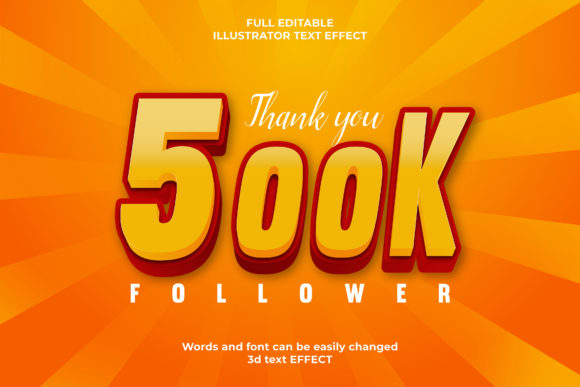
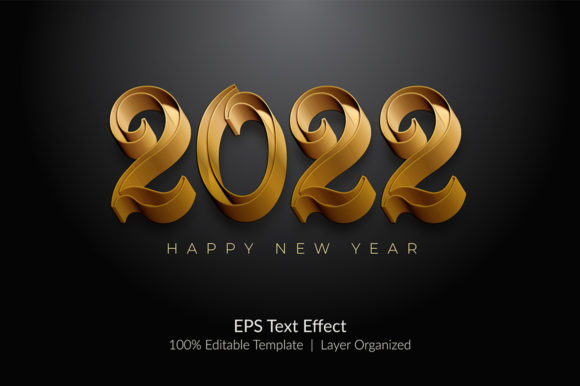
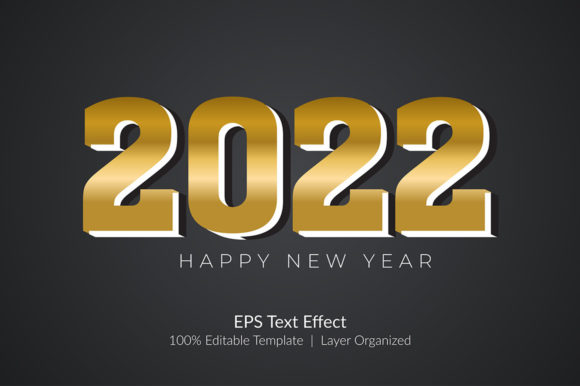
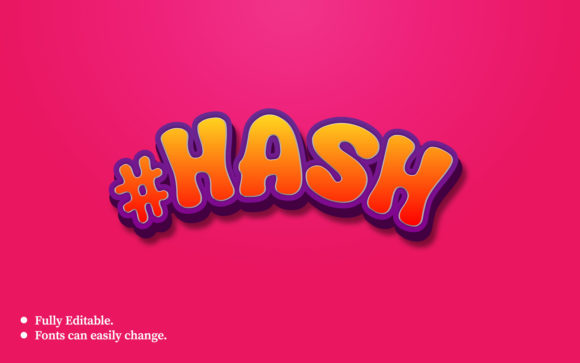
The Hash 3D Text Effect Template is a professionally crafted banner design that uses layered typography and depth effects to create a visually striking 3D text presentation. Built using Adobe Illustrator CC, it's optimized for clarity and quality at 300 DPI resolution and set to RGB color mode for vibrant on-screen display. The dimensions (1920px x 1080px) make it ideal for web banners, social media graphics, and promotional content across multiple platforms.
One of the standout features of this template is its fully editable nature. From the main text area to image placeholders, every element is designed for easy customization without requiring advanced design skills. This flexibility allows professionals to adapt the template quickly to different messages, brands, or campaigns — saving time while maintaining consistency and quality.
Strategic Use Cases for the Hash 3D Text Effect Template
When used thoughtfully, the Hash 3D Text Effect Template can support a range of strategic objectives. Here are some practical scenarios where it adds real value:
- Brand Positioning: Create bold visual statements that reinforce your brand’s identity and messaging. The 3D text effect can be used to highlight core values, taglines, or key offerings in a way that stands out from standard flat designs.
- Marketing Campaigns: Launch promotions or announcements with eye-catching banners. The ability to swap images and edit text ensures your message remains relevant and adaptable as campaigns evolve.
- Content Creation: Bloggers, educators, and creators can use this template to enhance headers or featured content sections, making them more engaging and aligned with their visual style.
- Product Launches: Showcase new products with dynamic text effects that draw attention and communicate excitement. The template’s clean layout supports both minimalist and bold approaches.
How to Approach Customization with Purpose
Customizing the Hash 3D Text Effect Template isn't just about swapping out images and text; it's about intentional design. Start by identifying the primary goal of the graphic. Are you trying to inform, persuade, or inspire action? Once you have clarity on the purpose, consider these steps:
- Align with Brand Guidelines: Replace default fonts with ones that match your brand’s voice. Even though the template includes free fonts, investing in a custom typeface can strengthen brand recognition.
- Choose Relevant Imagery: Select background or supporting images that reflect the tone and context of your message. For example, if promoting innovation, use modern tech-related visuals rather than generic stock photos.
- Optimize for Context: Adjust colors, lighting, and layout based on where the banner will appear. A version tailored for Instagram may need a tighter composition compared to one used on a website header.
- Test Variations: If used in A/B testing for digital marketing, create multiple versions of the same template with subtle differences in copy, color, or imagery to see what resonates best with your audience.
Planning for Long-Term Creativity and Productivity
For freelancers and small businesses managing tight timelines and budgets, the Hash 3D Text Effect Template offers a scalable solution. By investing in a reusable design format, you reduce the time spent starting from scratch each time you need a new banner. Instead, you focus on refining your message and optimizing visuals for specific outcomes.
Consider integrating this template into your workflow by setting up a library of commonly used assets like logos, brand colors, and stock images. This approach streamlines future edits and ensures consistency across all materials. Additionally, the included help file provides guidance for those who want to maximize the template’s potential without prior experience in 3D text design.
Why Context Matters When Using 3D Text Effects
While the Hash 3D Text Effect Template is versatile, it's not a one-size-fits-all tool. Misuse can lead to cluttered designs or ineffective communication. Before relying on it for your next project, ask yourself:
- Does the 3D effect enhance the message or distract from it?
- Is the template appropriate for the platform and audience?
- Am I using the right font pairing to maintain readability and visual harmony?
- Will the final output perform well in both desktop and mobile views?
A thoughtful answer to these questions ensures the template serves its intended purpose rather than becoming a decorative afterthought. Remember, the best design decisions are made when creativity supports strategy, not replaces it.
Real-World Applications and Examples
Let’s explore a few realistic use cases to illustrate how the Hash 3D Text Effect Template can deliver results:
Example 1: Entrepreneurial Branding
An entrepreneur launching a new app might use this template to create a hero banner for their landing page. By customizing the text to "Innovate Your Workflow" and pairing it with a sleek, futuristic image, they position themselves as a forward-thinking solution provider. The 3D effect adds depth and professionalism, which can help build trust with potential customers.
Example 2: Educational Content Promotion
A teacher or online course creator could apply the template to promote a new educational module. Text such as "Master Time Management Today" with a calming background image of a study space helps attract learners seeking productivity tips. The ease of editing allows quick updates for seasonal topics or limited-time offers.
Example 3: Freelance Marketing Portfolio
A freelance marketer showcasing their portfolio might use the template to highlight key achievements or services. Banners with phrases like "Results-Driven Strategies" or "Creative Solutions for Growth" become focal points that communicate expertise and confidence. The RGB color profile ensures the visuals look sharp and consistent across client websites and presentations.
What to Avoid When Using the Template
Without clear direction, even the most polished templates can fall short. Here are common pitfalls to avoid:
- Overcomplication: Resist the urge to add too many elements. Simplicity often leads to better engagement and easier comprehension.
- Inconsistent Messaging: Ensure that the text and visuals work together to tell a cohesive story. Mismatched styles can confuse audiences and dilute your brand message.
- Lack of Testing: Don’t assume the first version is the best. Test different iterations to understand what works best for your target demographic and platform.
- Ignoring Accessibility: While the 3D effect is visually appealing, ensure contrast ratios and legibility meet accessibility standards so all users can engage with your content.
By avoiding these mistakes, you ensure the Hash 3D Text Effect Template enhances your message rather than detracts from it.
Maximizing Learning and Operational Efficiency
Designers and marketers often underestimate the learning curve involved in mastering templates. However, the Hash 3D Text Effect Template simplifies this process by being intuitive and user-friendly. Its structure encourages experimentation and iteration, allowing users to develop a deeper understanding of how typography and layout affect perception and engagement.
For teams, having a shared template like this can streamline operations. It reduces the need for back-and-forth revisions and gives everyone access to a consistent base for creating banners. This consistency builds stronger brand recognition and improves internal efficiency, especially during busy periods or large-scale campaigns.
Decision-Making Guidance for Effective Use
To get the most out of the Hash 3D Text Effect Template, treat it as part of your overall creative strategy. Ask yourself:
- What emotional response do I want to trigger with this design?
- Which platforms will this banner appear on, and how should I adjust accordingly?
- Can I reuse this template for similar projects to save time and resources?
- Does the 3D effect complement my brand aesthetic or clash with it?
These questions help anchor your design choices in purpose and context, leading to more impactful outcomes. Rather than randomly applying effects, think about how each layer contributes to the message and user experience.
Conclusion: Intentional Design for Better Results
The Hash 3D Text Effect Template is more than just a design tool — it's a strategic asset when used with intention. By aligning your creative efforts with clear planning and thoughtful execution, you can leverage this template to support long-term goals, improve communication, and boost productivity. Whether you're enhancing your digital presence, launching a campaign, or building a personal brand, the right design choices matter. With the right mindset and approach, the Hash 3D Text Effect Template becomes a reliable partner in your creative journey.